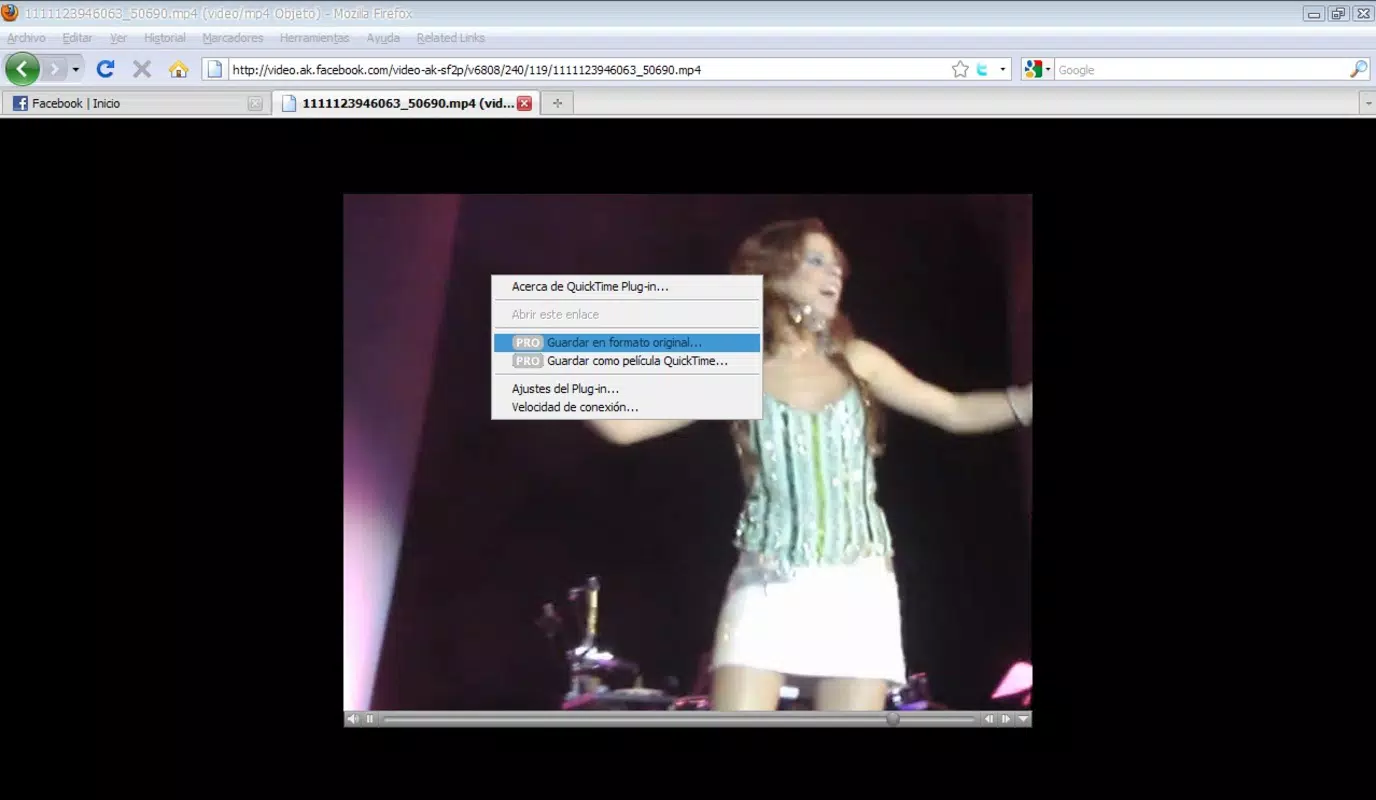


Download Facebook Video – Facebook video downloader, download Facebook videos, video from Facebook, Facebook video tool, save Facebook videos
Overview
Facebook Video is a specialized utility designed for users seeking a straightforward method to download video content from Facebook. As a Firefox add-on, it enables users to save videos directly in .mp4 format, addressing common challenges associated with extracting media from the platform. This tool enhances the user experience by integrating seamlessly into the Facebook interface, offering a dedicated option to download videos with minimal effort. Its primary purpose is to empower users with greater control over their digital content, allowing them to preserve and reuse videos for personal or professional use.
Target users include content enthusiasts, social media managers, educators, and individuals who frequently engage with video content on Facebook. The app solves the persistent issue of fragmented download methods, which often require third-party tools or complex browser extensions. By streamlining the process, Facebook Video reduces friction and time spent on content acquisition. While the developer is listed as Facebook, no additional background information about the tool’s development or ongoing support was provided. Real-world use cases include saving educational videos, preserving event recordings, or archiving promotional content for offline access.
Within the broader app ecosystem, Facebook Video serves as a niche but functional utility, bridging a gap in browser-based content management. It does not replace native Facebook features but extends them, offering a focused solution for video preservation. Despite its age—released in 2009—the tool remains relevant for users who rely on Firefox and need a reliable method to save videos without leaving the platform.
Key Features & Functionality
- Easy Video Download: Users can initiate downloads directly from the Facebook menu, eliminating the need for external tools or manual copy-paste methods. This feature is particularly beneficial for those who frequently save videos for later viewing or offline use.
- Embed Video Functionality: The add-on allows users to generate embed codes, enabling seamless sharing of Facebook videos on personal websites, blogs, or online portfolios. This is ideal for content creators and educators who want to integrate video content into their digital platforms.
- Customizable Code Options: Advanced users can adjust playback parameters through customizable code settings, offering flexibility in how videos are displayed or integrated into external websites.
- Video Conversion Made Easy: For users requiring format changes, the tool redirects to Zamzar.com, a free conversion service. By sending a download link via email, it ensures users can access converted videos without additional steps or technical barriers.
Each feature is designed with user efficiency in mind. For example, the direct download option simplifies the workflow for casual users, while the embed and customization tools cater to those with more technical needs. The integration with a third-party conversion service ensures compatibility across devices and platforms, broadening the tool’s utility.
Interface, UX & Performance
The interface of Facebook Video is minimalistic and tightly integrated into the Firefox browser environment. Users interact with the add-on through a dedicated menu option within Facebook, ensuring a consistent and intuitive experience. The visual design aligns with Firefox’s standard UI, avoiding unnecessary distractions. Navigation is straightforward—users simply locate the download option and confirm the save process.
Although the developer did not list formal performance metrics, the add-on’s lightweight size of 1.06 MB suggests it operates efficiently without consuming significant system resources. It is expected to function smoothly across various device categories, including desktops and laptops running Firefox. Responsiveness appears stable, with no reported issues related to crashes or lag during download operations.
Stability is a key strength, especially considering the tool’s long-standing presence since 2009. The lack of frequent updates may indicate a mature, low-maintenance design. However, users should be aware that ongoing compatibility with newer versions of Firefox or Facebook’s evolving interface is not guaranteed, though no disruptions have been documented.
Platform Compatibility & Technical Requirements
Facebook Video is specifically designed for the Firefox browser, with no information provided about compatibility with other platforms. The software version is 2.0.1, and the file size is 1.06 MB. The app is available at no cost, making it accessible to a broad audience.
The developer did not specify minimum OS requirements or compatibility details for different operating systems. As such, users should ensure their Firefox installation is up to date and supports add-ons. Compatibility with mobile devices or non-desktop platforms was not disclosed, limiting the tool’s use to desktop environments.
Pros and Cons
- Simple, one-click video download from Facebook
- Supports .mp4 format, widely compatible with devices
- Free to use with no hidden fees
- Includes embed code functionality for content sharing
- Offers integration with a free video conversion service
- Only compatible with Firefox, limiting cross-browser use
- No official updates since 2009; potential compatibility risks with modern Firefox versions
- Does not support mobile platforms
- Dependent on third-party services like Zamzar.com for format conversion
- Developer did not provide detailed technical documentation or support channels
FAQ
Is Facebook Video safe to install?
The add-on is hosted on the official Firefox Add-ons platform, which verifies developers and scans for malicious code. While it is free and widely used, users should ensure their Firefox browser is updated to maintain security.
Can I use Facebook Video on mobile devices?
No, the tool is designed exclusively for desktop use within the Firefox browser. There is no mobile version or support for Android or iOS devices.
Does Facebook Video work with all Facebook videos?
It is designed to download publicly available videos. However, videos with restricted access or private sharing settings may not be compatible with the tool.
How do I update Facebook Video?
Firefox automatically manages add-on updates. However, no updates have been released since 2009, suggesting the tool may not receive future updates.
Is the video conversion feature reliable?
The tool redirects to Zamzar.com for conversion. While Zamzar is a reputable service, its performance depends on external factors such as server load and file size.
Final Thoughts & CTA
Facebook Video remains a practical solution for Firefox users who need to download and manage Facebook videos efficiently. Despite its age and lack of recent updates, its core functionality continues to serve users who value simplicity and reliability. The tool’s ability to save videos in a standard format, embed them on websites, and integrate with free conversion services makes it a valuable utility for educators, content creators, and casual users alike.
While its limitations—such as desktop-only use and reliance on outdated infrastructure—should be considered, the app’s lightweight design and zero cost make it a compelling choice for those already using Firefox. For users seeking a no-frills way to save Facebook content, Facebook Video delivers consistent results without complexity.
Download Facebook Video now


